One interface for every zone, channel and controller
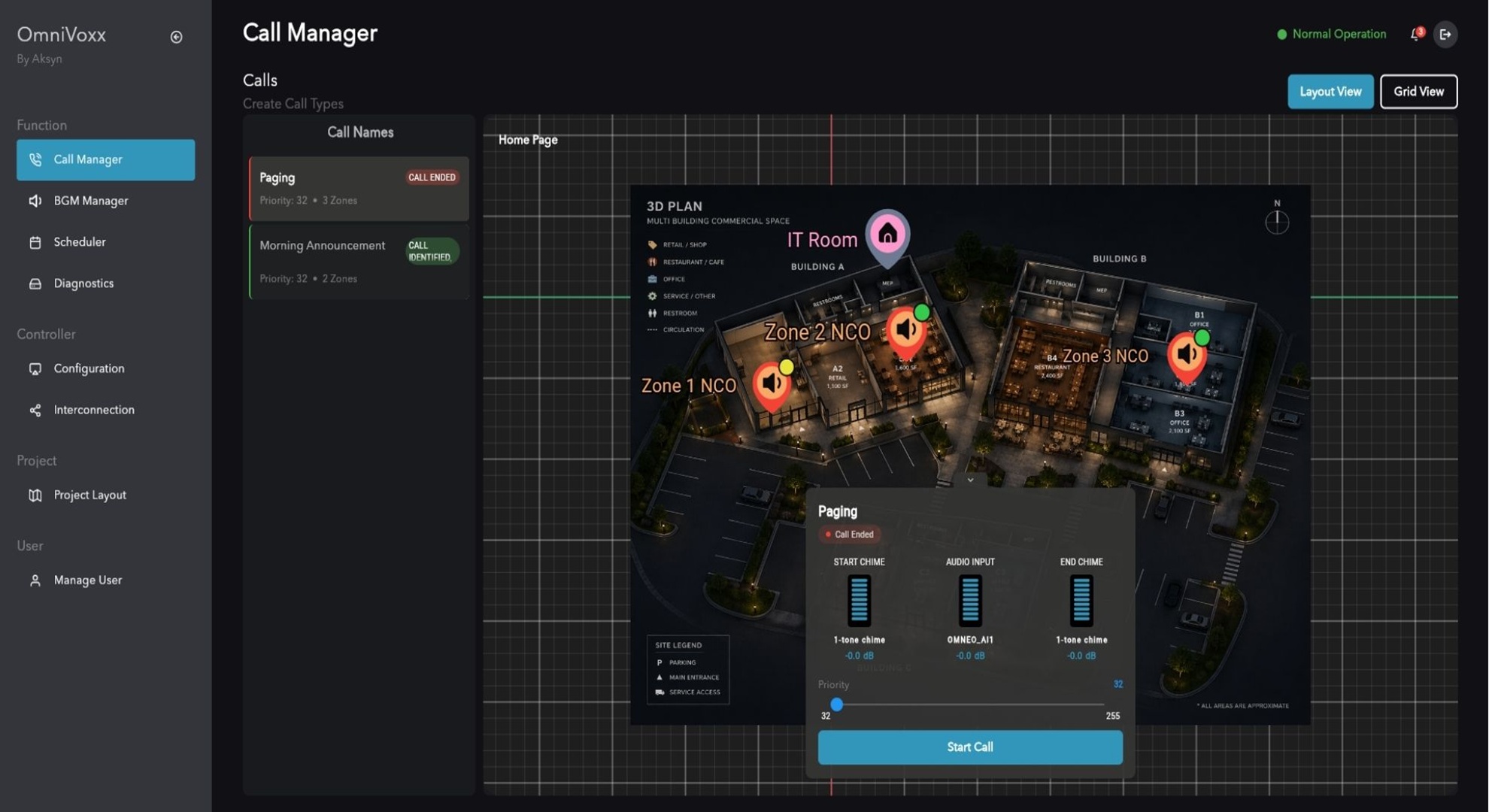
Operators work from a single interface instead of switching between applications and controllers. Calls, music and scheduled messages can span different PAVA hardware on the same network at the same time.
Calls
Route announcements to any zone or group, with priority deciding what takes precedence when calls collide.
Background music
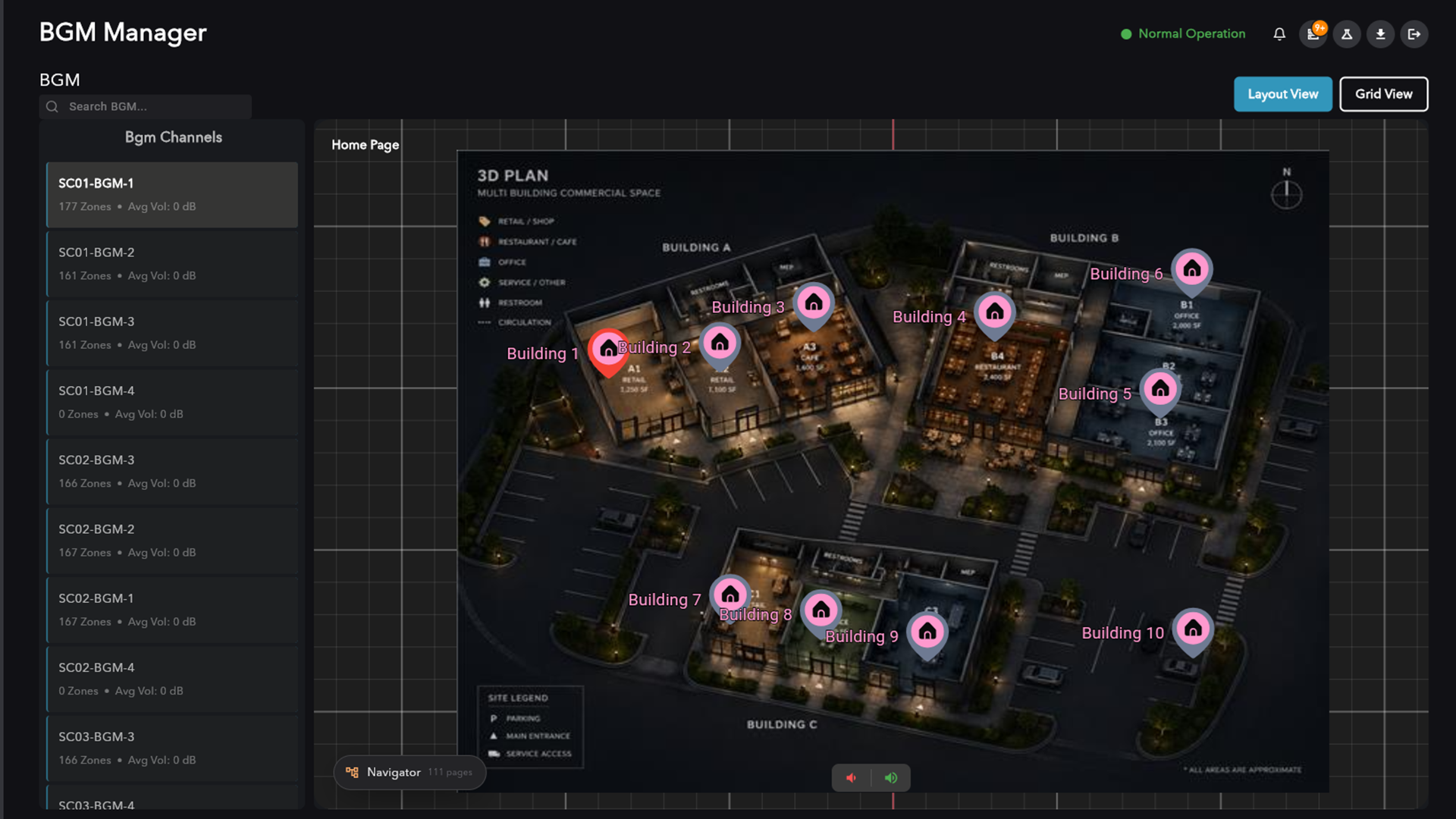
Channels configured in the PAVA system appear automatically with their current routing, so there is no second place to maintain.
Channel routing
Route channels to zones across subsystems, with live routing status.
Channel volume
A master level per channel, applied across every assigned zone.
Per-zone trim
Independent trim for each zone inside a channel.
Scheduling
Two schedule types: precision-timed custom broadcasts and recurring messages.
Music fades out, the message plays, music returns
Custom
A precision-timed broadcast with music ducking handled around it.
Repeat
Recurring messages on chosen days, weekly to monthly, across a date window.
Every scheduled event carries its live state: scheduled, running or finished.
Call to prayer
Each site plays prayer messages on time by itself, without being set up again as dates and times shift.
Diagnostics
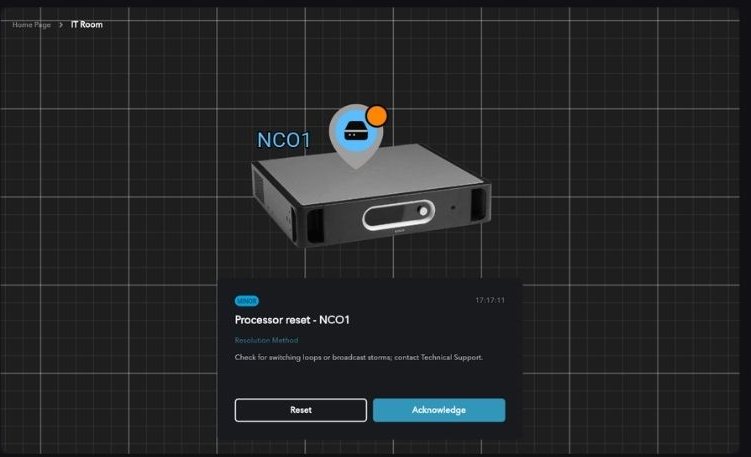
Every hardware fault across the system: the device, the fault type, where it sits on the layout, and what to do about it.
Multi-subsystem
Zones from every connected subsystem are managed as one site layout.
See it running on a system like yours
Thirty minutes with an engineer who knows the hardware, not a sales presentation.